Simple
Konversi setiap hari, langkah lebih sedikit.
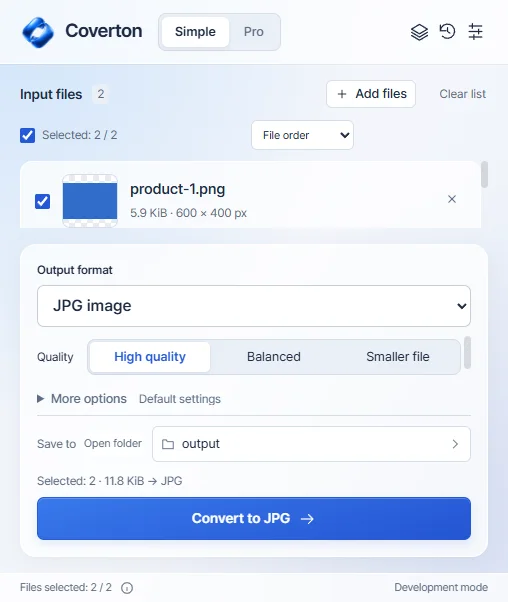
Pilih file, format dan kualitas keluaran, lalu simpan hasil terpisah.
 COVERTON FOR WINDOWS
Unduh beta Windows yang ditandatangani. Coba gratis selama 7 hari tanpa kartu atau tagihan otomatis.
Simple / ProDownload the installer for 64-bit Windows 10 or 11 PCs. A native Windows ARM installer is not provided.
Install Coverton and copy your device ID from License. Register the PC in your account to begin a 7-day trial without a card.
Import the .coverton-license file downloaded from your account into the app. Manage your Windows subscription and registered PCs in your account.
Pilih file, format dan kualitas keluaran, lalu simpan hasil terpisah.
Pratinjau file, temukan alat yang kompatibel, kelola batch, dan gunakan kembali preset Anda.

Pengembangan Windows sebenarnya dibuat dalam bahasa Inggris. Aplikasi desktop saat ini mendukung 10 bahasa.
For 64-bit Windows 10 and 11 PCs. On another device, copy this page link to open on your PC or visit that platform’s dedicated page.
Buy a monthly or annual Windows subscription through Creem. Subscriptions renew automatically in USD; local taxes are additional. Confirm the final total at checkout.
US$24.99
Every year US$24.99
Save about 48% vs 12 monthly paymentsAbout US$2.08/month · billed annually
Local taxes extra · automatic renewal · 2 PCs
Subscribe in your accountUS$3.99
Every month US$3.99
Local taxes extra · automatic renewal · 2 PCs
Subscribe in your accountMac App Store purchases are managed separately through Apple.
1. Download the signed installer and install Coverton. Publisher: 케이제이.
2. Open License in the app, copy your device ID, create an account and register the PC. The 7-day trial starts without a card.
3. Import the downloaded .coverton-license file into Coverton. Add multiple files, use the Pro queue, or open the document and spreadsheet editor.
Find Mac requirements, the App Store and Apple subscription information on a separate page.