Prepare files in batches
Add more files to your queue and reuse settings and presets for repeat tasks.
Queue · Presets
PDFs, documents and images. Together.
Download for Windows7-day trial · no card
Windows 10 / 11 · x64 · v0.20.1 · 468 MB

Use Simple mode for quick conversions and Pro mode for multiple files and repeat tasks.
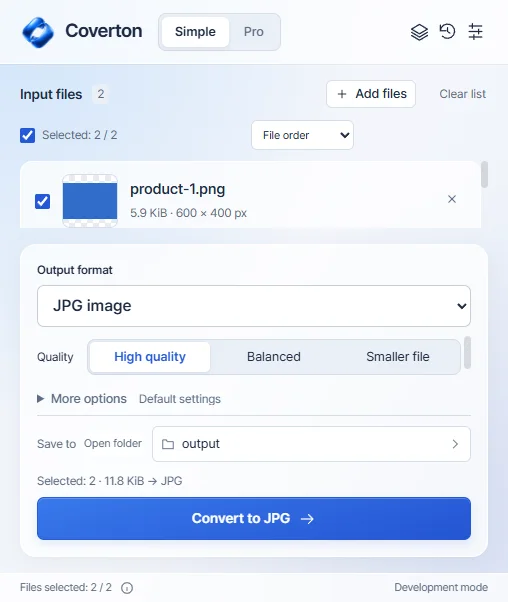
Add more files to your queue and reuse settings and presets for repeat tasks.
Queue · PresetsEdit documents, select ranges, format cells, fill formulas and clean up data.
DOCX · XLSX · CSVArrange PDF pages, prepare images in multiple sizes and save separate output files.
PDF · Images · ZIPCreem checkout · USD · local taxes additional · confirm the final total at checkout.
US$24.99
Every year US$24.99
Save about 48% vs 12 monthly paymentsAbout US$2.08/month · billed annually
Local taxes extra · automatic renewal · 2 PCs
Subscribe in your accountUS$3.99
Every month US$3.99
Local taxes extra · automatic renewal · 2 PCs
Subscribe in your accountMac App Store purchases are managed separately through Apple.
Download the installer for 64-bit Windows 10 or 11 PCs. A native Windows ARM installer is not provided.
Install Coverton and copy your device ID from License. Register the PC in your account to begin a 7-day trial without a card.
Import the .coverton-license file downloaded from your account into the app. Manage your Windows subscription and registered PCs in your account.
Signed publisher: 케이제이 · Microsoft Artifact Signing
SHA-256f68165e40c1cccda598b191c51dbc4869bbdd044c7d6e2dd8e2909e30a6e116aThe installer is for 64-bit x64 Windows 10 and 11 PCs. A native Windows ARM installer is not provided.
The card-free 7-day trial does not charge automatically. Subscriptions purchased separately renew on your chosen monthly or annual schedule.
Document and spreadsheet editing and PDF page organization are included. Editing original PDF body text and scanned OCR are not supported. Review important outputs from complex files.