Simple
Chuyển đổi hàng ngày, ít bước hơn.
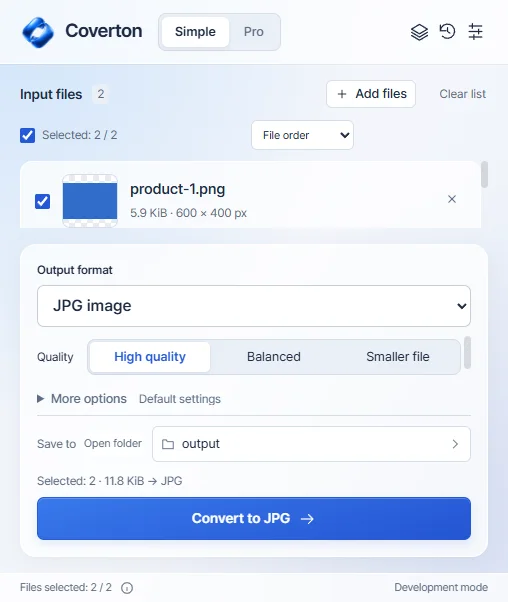
Chọn tệp, định dạng và chất lượng đầu ra, sau đó lưu một kết quả riêng.
 COVERTON FOR WINDOWS
Tải bản beta Windows đã ký. Dùng thử miễn phí 7 ngày, không cần thẻ hay thu phí tự động.
Simple / ProDownload the installer for 64-bit Windows 10 or 11 PCs. A native Windows ARM installer is not provided.
Install Coverton and copy your device ID from License. Register the PC in your account to begin a 7-day trial without a card.
Import the .coverton-license file downloaded from your account into the app. Manage your Windows subscription and registered PCs in your account.
Chọn tệp, định dạng và chất lượng đầu ra, sau đó lưu một kết quả riêng.
Xem trước tệp, tìm công cụ tương thích, quản lý hàng loạt và sử dụng lại các cài đặt trước của bạn.

Bản dựng phát triển Windows thực tế bằng tiếng Anh. Ứng dụng dành cho máy tính để bàn hiện hỗ trợ 10 ngôn ngữ.
For 64-bit Windows 10 and 11 PCs. On another device, copy this page link to open on your PC or visit that platform’s dedicated page.
Buy a monthly or annual Windows subscription through Creem. Subscriptions renew automatically in USD; local taxes are additional. Confirm the final total at checkout.
US$24.99
Every year US$24.99
Save about 48% vs 12 monthly paymentsAbout US$2.08/month · billed annually
Local taxes extra · automatic renewal · 2 PCs
Subscribe in your accountUS$3.99
Every month US$3.99
Local taxes extra · automatic renewal · 2 PCs
Subscribe in your accountMac App Store purchases are managed separately through Apple.
1. Download the signed installer and install Coverton. Publisher: 케이제이.
2. Open License in the app, copy your device ID, create an account and register the PC. The 7-day trial starts without a card.
3. Import the downloaded .coverton-license file into Coverton. Add multiple files, use the Pro queue, or open the document and spreadsheet editor.
Find Mac requirements, the App Store and Apple subscription information on a separate page.