
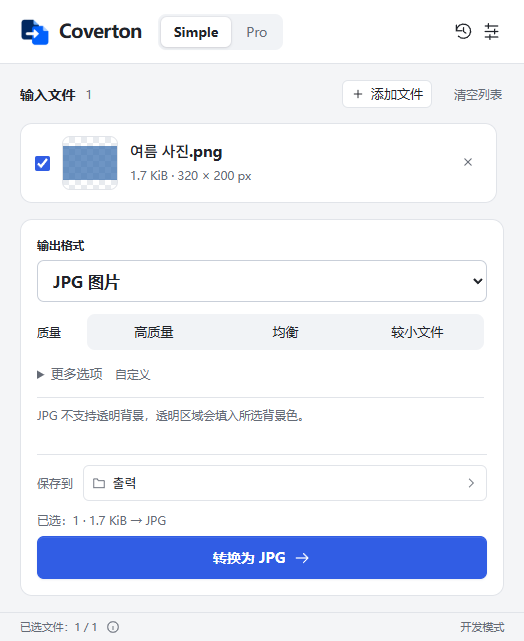
简洁
常用转换,几步完成。
选择文件、输出格式和质量,然后另存为新的结果文件。
Download the installer for 64-bit Windows 10 or 11 PCs. A native Windows ARM installer is not provided.
Install Coverton and copy your device ID from License. Register the PC in your account to begin a 7-day trial without a card.
Import the .coverton-license file downloaded from your account into the app. Manage your Windows subscription and registered PCs in your account.
选择文件、输出格式和质量,然后另存为新的结果文件。
预览文件、查找兼容工具、批量处理文件,并重复使用已保存的预设。
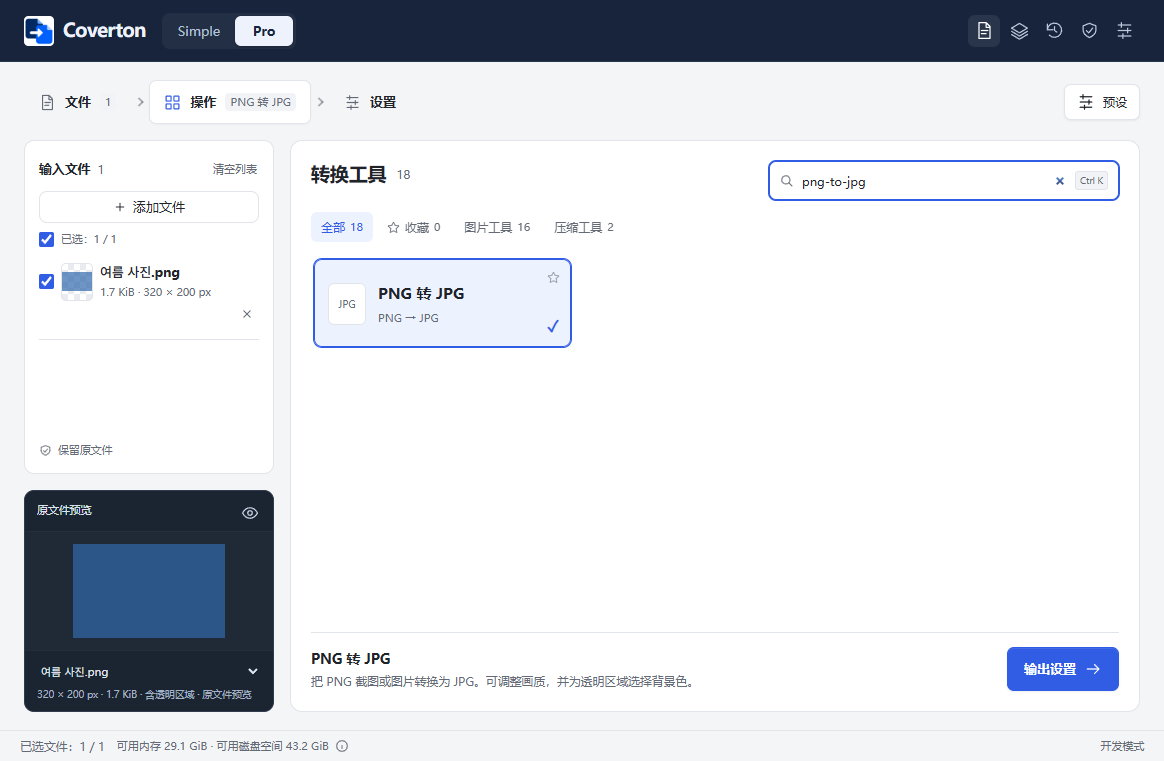
实际开发版本截图,正式发布时界面可能有所调整。
For 64-bit Windows 10 and 11 PCs. On another device, copy this page link to open on your PC or visit that platform’s dedicated page.
Buy a monthly or annual Windows subscription through Creem. Subscriptions renew automatically in USD; local taxes are additional. Confirm the final total at checkout.
US$24.99
Every year US$24.99
Save about 48% vs 12 monthly paymentsAbout US$2.08/month · billed annually
Local taxes extra · automatic renewal · 2 PCs
Subscribe in your accountUS$3.99
Every month US$3.99
Local taxes extra · automatic renewal · 2 PCs
Subscribe in your accountMac App Store purchases are managed separately through Apple.
1. Download the signed installer and install Coverton. Publisher: 케이제이.
2. Open License in the app, copy your device ID, create an account and register the PC. The 7-day trial starts without a card.
3. Import the downloaded .coverton-license file into Coverton. Add multiple files, use the Pro queue, or open the document and spreadsheet editor.
Find Mac requirements, the App Store and Apple subscription information on a separate page.